

Are you tired of spending hours editing videos or struggling with complicated software? Do you want to create high-quality, engaging videos fast — even if you have zero editing experience? If so, create videos with AI VideoGen — the revolutionary AI-powered tool that helps anyone turn text into professional videos in just minutes.
In this guide, we’ll show you how to create videos with AI VideoGen from start to finish. Plus, we’ll show you how to claim a special 30% discount to unlock the full power of this tool at a lower cost.
✅ Why You Should Create Videos with AI VideoGen
AI VideoGen is one of the most advanced AI video generators on the market. With just a topic or short description, it uses artificial intelligence to:
-
Generate scripts.
-
Select stock footage and images.
-
Add voiceovers automatically.
-
Output HD or even 4K video quality.
Whether you’re a content creator, digital marketer, YouTuber, educator, or entrepreneur — creating videos with AI VideoGen will save you time, money, and effort.
🔧 What You Need to Get Started
To start your journey, make sure you have:
-
A working email (or a Google account).
-
A Visa card for international payment.
Always make your purchase securely at the official link: nhatanhai.com/videogen.
Avoid scams — never share your card info or OTP code outside of the official payment form.
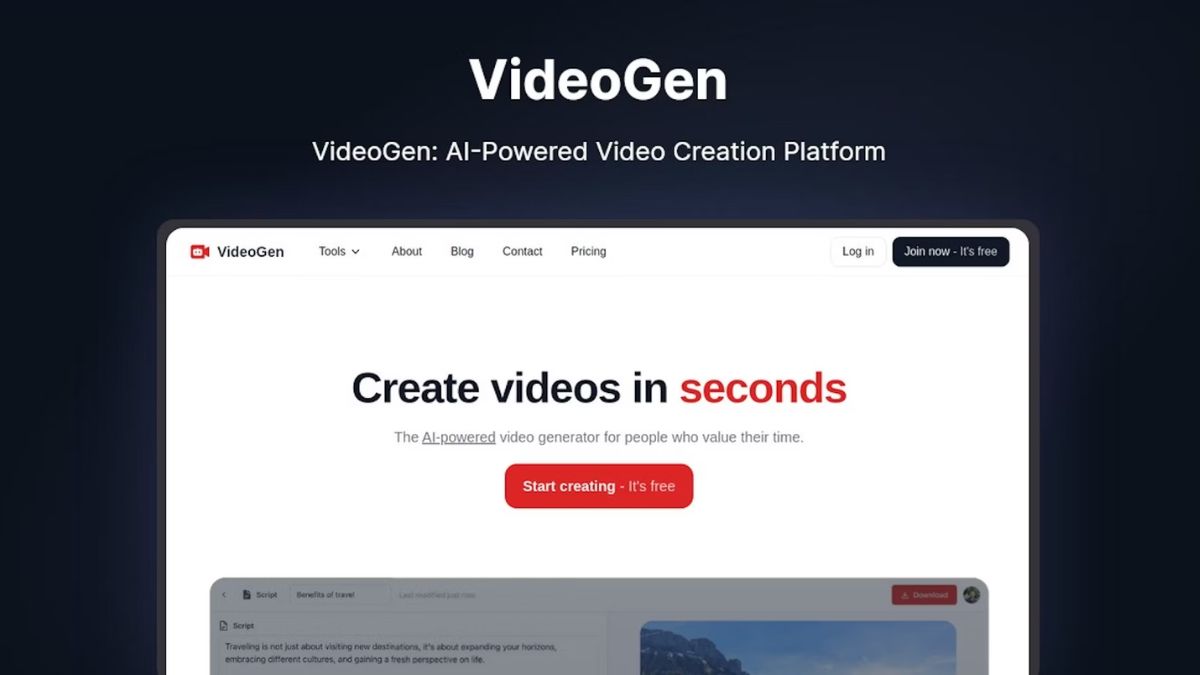
🚀🎬 Start Creating Videos Instantly
Now you’re ready to create videos with AI VideoGen! On the dashboard:
-
Click “Create New Video”
-
Enter a topic (e.g., “How to Learn English in 7 Days”)
-
Choose Short Video (under 60s) or Long Video format
-
Videogen will:
-
Write the script.
-
Pick visuals and background videos.
-
Add AI-generated voice-over narration.
-
No need to write scripts, find footage, or record voice manually — it’s all automated!
Note: Each video supports up to 10,000 characters. For longer videos, divide your script into parts.
💡 Pro Tips for YouTube and Social Media
If you’re uploading videos to YouTube, TikTok, or Facebook, follow these tips:
-
Choose 720p for Shorts, 1080p for Full HD, or 4K for high-end quality.
-
Use YouTube’s free Audio Library for music that won’t trigger copyright claims.
-
Select music marked “No attribution required” to avoid crediting issues.
-
Add your custom scripts for more personalized videos.
💥 Why Thousands Are Choosing to Create Videos with AI VideoGen
-
💡 No technical skills required — ideal for beginners.
-
🧠 Smart AI handles 90% of the creative work.
-
⏱️ Save hours of editing time.
-
💵 Affordable with a 30% discount.
-
📱 Output for all platforms: YouTube, TikTok, Instagram, Facebook.
-
🎯 Perfect for monetization and brand building.
📌 Summary of the Process
-
Go to: nhatanhai.com/videogen
-
Register with email or Google
-
Choose your plan
-
Enter promo code HERES30
-
Create stunning videos with AI
-
Export in 720p, 1080p, or 4K
-
Add free background music from YouTube Studio
-
Upload and monetize!
🆘 24/7 Customer Support
Got questions? Videogen offers round-the-clock support via email and live chat to help you anytime.
⚡ Ready to Create Your First AI Video?
There’s never been a better time to start. Create videos with AI VideoGen today and take your content to the next level. Whether it’s for education, entertainment, or business — Videogen gives you the power to produce stunning, effective videos in just minutes.
👉 Visit nhatanhai.com/videogen, apply code HERES30, and start creating unlimited videos with AI — smarter, faster, better.
I truly believe that Videogen is the best AI video generator in 2025.
It saves time, boosts creativity, and is perfect for YouTubers, marketers, and content creators like you! 💪
If you found this tutorial helpful, don’t forget to:
🔔 Subscribe to Nhat Anh AI for more awesome AI tips!
👍 Smash that like button!
💬 Comment below if you have any questions – I read and reply to every comment!
👉 And most importantly, use the link and promo code in the description to grab your 30% OFF before it’s gone!
